Capture the matter in one sentence
On-device rules draft the date, person and direction from Chinese input. Review and edit the confirmation card before saving, keeping quick capture under your control.
Keep things moving while you wait.
A lightweight iOS app for replies, refunds and documents that still need follow-up. I independently designed and built the product, connected its paid features and shipped it on the App Store.
I independently took the product from problem definition and interaction design through native development, paid features and App Store release.
 View larger
 View larger
Replies, refunds and document requests get scattered across chats, notes and memory. Once a request is sent, it is easy to lose track of when to check again or what happened last.
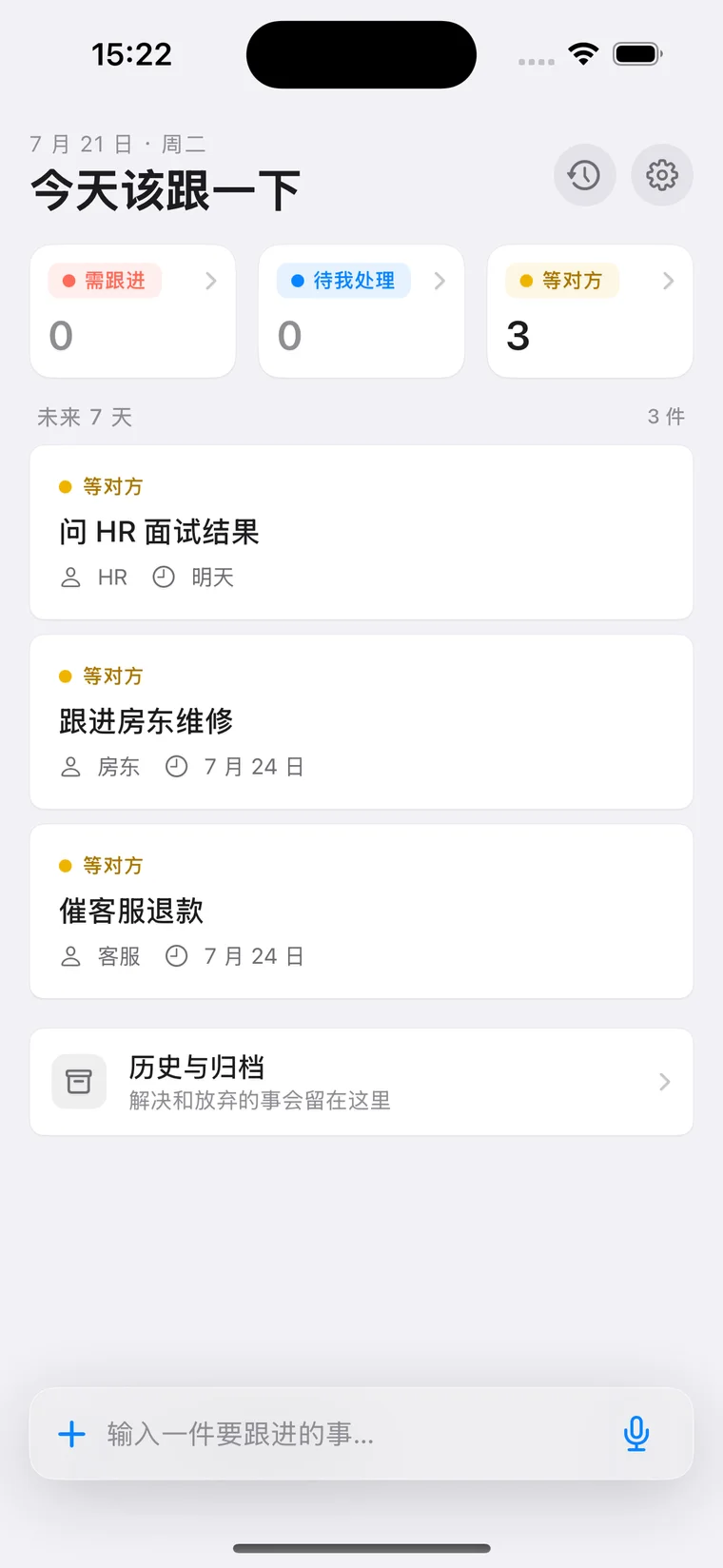
Keep the matter, the person involved, its status and the next follow-up time together. Notifications and widgets bring it back into view; follow up, keep waiting, or close it and retain the history.
On-device rules draft the date, person and direction from Chinese input. Review and edit the confirmation card before saving, keeping quick capture under your control.
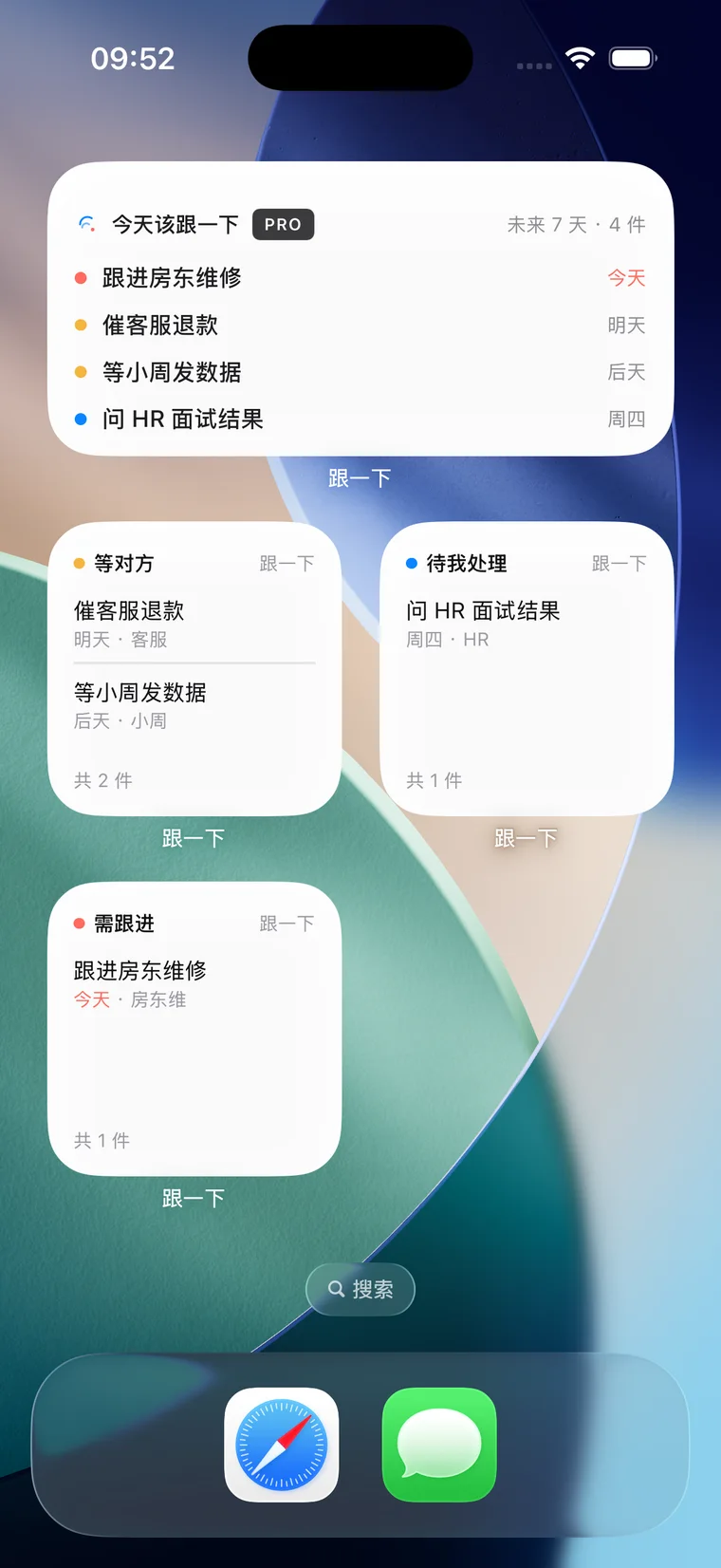
Organize active matters into My turn, Waiting and Follow up. The follow-up time is a moment to check again, rather than a task deadline; finish your part and continue waiting when needed.
Local notifications support reminders the day before and on the follow-up day. Home Screen widgets keep matters visible, while saving and in-app access remain available without notification permission.
Status changes and follow-up records preserve the context alongside notes and a related link. Resolved and abandoned matters move into history, keeping the active list focused.
The free tier includes eight active matters, six built-in templates and basic reminders. Pro adds unlimited matters, iCloud sync, attachments, custom templates, more widgets, export and alternate icons.
Local storage is the default, with no custom account or backend storing your matters. Pro users can opt into private iCloud sync. Original attachment images stay on the device, and photos are selected explicitly by the user.
Capture and confirm
Wait or take your next action
Review and follow up when due
Keep waiting, or close and archive
An open matter may need my action or someone else’s response. My turn, Waiting and Follow up describe that relationship, while the follow-up time marks when to check again. Finishing my part can lead back to waiting, until the matter is closed and archived.
Personal matters stay on the device by default, with no custom account required. Pro users can opt into private iCloud sync and keep working locally when sync is unavailable. Original attachment images remain on the device.
Eight active matters let free users capture, receive reminders, follow up and archive. Monthly, yearly and lifetime Pro options add capacity, sync, attachments and other enhancements. Exceeding the free limit does not delete existing matters.
Focused on personal matters that remain open, modeling people, direction, status and follow-up time, with a complete free workflow and optional Pro capabilities.
Designed capture, confirmation, status actions, history, permission explanations and upgrade entry points within a consistent native visual system.
Built with SwiftUI and SwiftData, integrating local notifications, WidgetKit, private CloudKit sync, attachments and StoreKit 2 entitlement management.
Delivered logic and UI tests, device checks, TestFlight validation, store materials and privacy documentation, then released on the App Store and continued maintenance.
Client and data. SwiftUI builds the interface. SwiftData persists matters, templates, follow-up events and attachment metadata behind repository interfaces. CloudKit handles opt-in private sync; Excel and JSON exports exclude original attachment images.
Reminders and purchases. UserNotifications schedules local reminders, WidgetKit reads focused App Group snapshots, and StoreKit 2 handles purchases, restoration and centralized entitlements. Voice input requires on-device recognition. Local rules produce an editable confirmation card before the user saves.
Data access. The app has no advertising or third-party analytics SDK and does not read contacts, messages, mail, calendars or other apps’ content.
Let’s discuss your idea, from product definition to development and release.
Get in touch about enterprise AI, workflow automation, practical AI training and adoption, or career opportunities. I’m also happy to discuss independent product design and development. Start with your workflow and the outcome you have in mind.