Connect the operational picture
Read-only integrations with BMS, CRM and LabMall bring order, procurement, warehouse and follow-up data into one query workflow.
One conversation. A connected view of fulfillment.
An enterprise fulfillment agent powered by a locally deployed large language model. Connect orders, purchasing, warehouse records and follow-ups so support teams can check progress, confirm batches and prepare reply drafts.
Independently designed, built and delivered an enterprise fulfillment agent—from requirements and product design to full-stack development, testing and launch.
Support teams switch between systems to identify an order, match its products and purchase batches, and piece together warehouse and follow-up records.
A single conversation guides users through product and batch selection, retrieves the relevant records and keeps follow-up questions in context.
Read-only integrations with BMS, CRM and LabMall bring order, procurement, warehouse and follow-up data into one query workflow.
Explicit choices help users disambiguate multiple products or purchase batches before the assistant proceeds.
Follow-up queries reuse the confirmed business objects and retrieve their current records, covering quantities, shipping progress and sources.
Visible progress, linked sources and editable reply drafts help support teams act on the result. History recovery and exception messages support everyday use.
Deploy a large language model on purchased GPU hardware and connect local inference to LD Assist, linking business queries, agent orchestration and reply generation from the model runtime through to the application.
Ask a fulfillment question
Confirm product and batch
Query connected systems
Review and follow up
An order can include several products and purchase batches. I put explicit selection before retrieval so support staff choose the right object before warehouse and follow-up records are connected. Further questions stay tied to that selection.
Support staff need fulfillment details they can check. Read-only queries, visible sources and reply drafts work together so staff can review the evidence before deciding how to respond to a customer.
Follow-up questions reuse the confirmed order and batch without making staff select them again. The workflow retrieves the relevant records afresh, keeping the conversation continuous and quantities and shipping updates grounded in business data.
Map support workflows, product scope, business objects and query paths.
Design conversation flows, candidate selection, follow-up questions and exception handling.
Build the mobile web frontend, backend, agent orchestration, data integrations and state recovery. Deploy the model on purchased GPU hardware and integrate local inference into the application.
Establish unit tests, integration checks, CI and the release workflow.
I use LangGraph to orchestrate queries, with permission checks and deterministic business rules for dates, quantities and critical choices. Conversation state recovery, unit tests, integration checks and CI support ongoing iteration and release.
This walkthrough uses sample data and preset results, without connecting to company systems or live AI.
Choose the sample question to explore order lookup, confirmation and a draft response.
Confirm the item so information from different products stays separate.
Batches may be at different stages. The result will reflect the batch you select.
Start with one workflow. Let’s explore how AI could fit your operations.
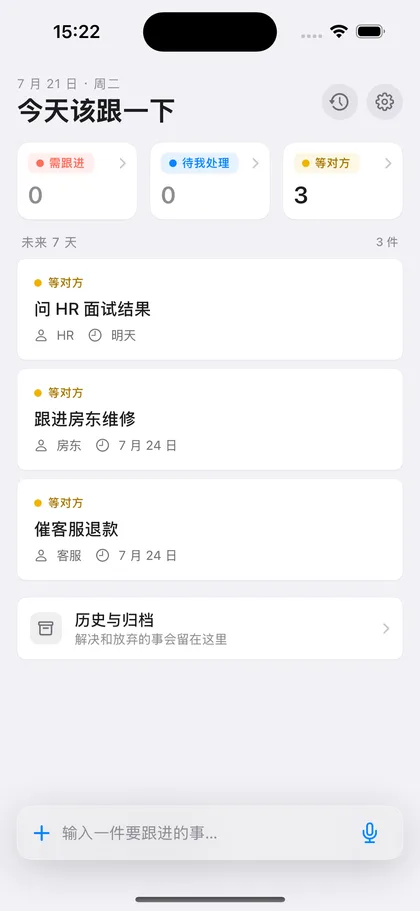
A lightweight iOS app for replies, refunds and documents that still need follow-up. I independently designed and built the product, connected its paid features and shipped it on the App Store.
Extract manufacturer lot numbers, manufacture dates and expiry dates, with a standard API connecting recognition, human review and WMS entry.
Get in touch about enterprise AI, workflow automation, practical AI training and adoption, or career opportunities. I’m also happy to discuss independent product design and development. Start with your workflow and the outcome you have in mind.
 跟一下