Purchase imports: from files to a queue
A Chrome extension connects parsing previews, customer matching and business-page actions in a manageable task queue.
Turn repetitive clicks into manageable batch work.
Connect file parsing, business matching, browser actions and PDF uploads for purchase imports and clinical calibration, with visible progress and clear checkpoints.
Purchase imports require repeated customer lookups and page navigation. Clinical calibration involves reading Excel tasks, matching orders and equipment, locating PDFs and uploading files individually.
Batch workflows coordinate the steps, show progress, surface ambiguous matches and exceptions, and export results for review.
A Chrome extension connects parsing previews, customer matching and business-page actions in a manageable task queue.
A Chrome extension and Windows assistant link Excel tasks, order and equipment matching, shared-drive PDF discovery and web uploads.
Pause and resume, candidate confirmation, duplicate handling and exception stops allow staff to intervene where needed.
Business-page feedback determines completion. Progress and exported results support review of finished, pending and exceptional tasks.
Import task files
Match customers or equipment
Run batches and resolve exceptions
Verify and export results
I independently designed, developed, tested and delivered both workflows, including browser extensions and the Windows assistant. The import tool serves 30 support staff. The clinical tool serves a six-person team, moving a workload of approximately 100 individually handled documents per day into batch operations.
Start with one workflow. Let’s explore how AI could fit your operations.
An enterprise fulfillment agent powered by a locally deployed large language model. Connect orders, purchasing, warehouse records and follow-ups so support teams can check progress, confirm batches and prepare reply drafts.
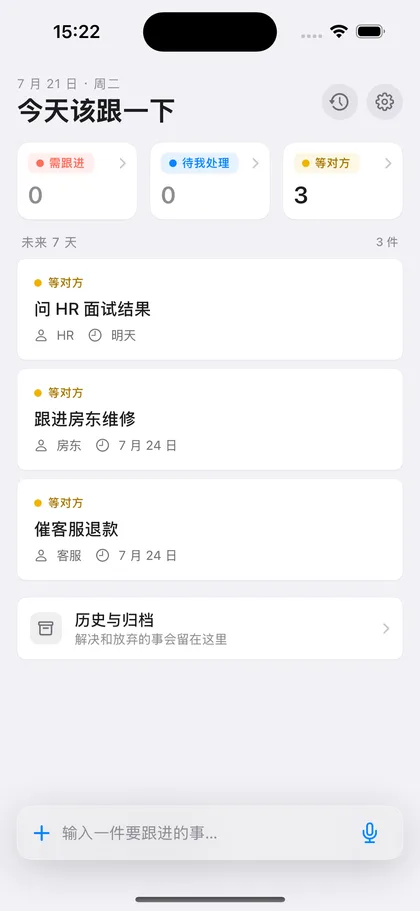
A lightweight iOS app for replies, refunds and documents that still need follow-up. I independently designed and built the product, connected its paid features and shipped it on the App Store.
Get in touch about enterprise AI, workflow automation, practical AI training and adoption, or career opportunities. I’m also happy to discuss independent product design and development. Start with your workflow and the outcome you have in mind.
 跟一下